What Is a Webhook? Complete Guide with a Facebook Lead Ads Example
A webhook is a message one app sends to another the moment something happens. Learn how webhooks work, webhook vs API, and see a real Facebook Lead Ads webhook example.
 By Akash Mehra
9 min read
Table of contents
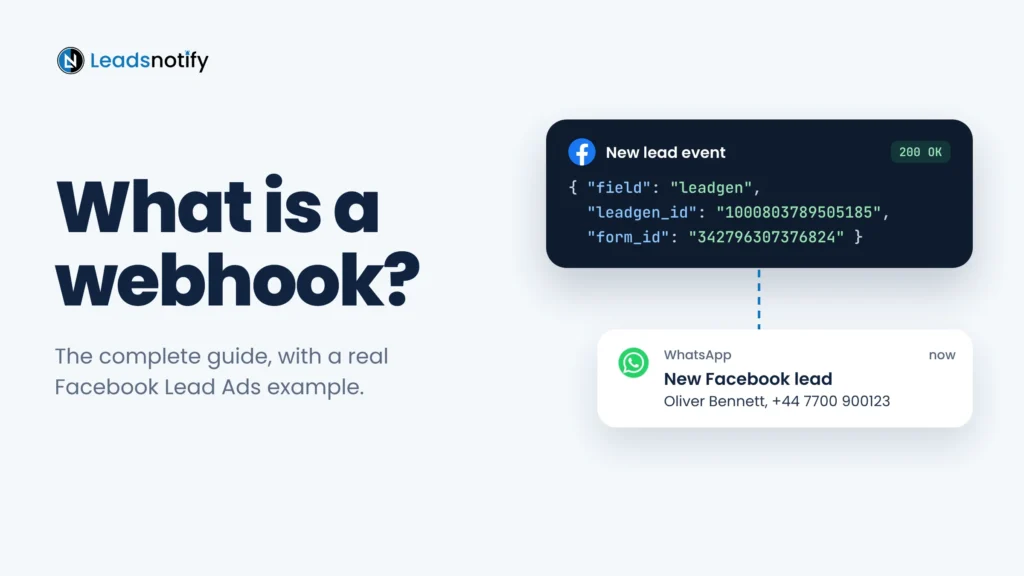
A webhook is a message one app sends to another the moment something happens. Instead of your software checking for news every few minutes, the other app tells it straight away.
This guide covers what webhooks are, how they work and how they differ from an API. Then it follows one real Facebook lead from the form to your sales team, so you can see exactly what a webhook sends and what it leaves out.
Summary
- What it is: an automatic HTTP POST that an app sends to a URL you choose when an event happens, such as a new lead.
- Webhook vs API: with an API you ask for data. With a webhook, the data is sent to you.
- Facebook Lead Ads: the webhook only sends the lead’s ID. You fetch the name, email and phone with a second API request.
- No code needed: LeadsNotify sends each lead to your email, WhatsApp, Slack or CRM seconds after the form is submitted.
What is a webhook?
A webhook is a way for one app to tell another app that something just happened. You give the first app a web address, called the webhook URL. When the event happens, it sends the details to that address automatically.
Think of a doorbell. Without one, you keep walking to the door to check if anyone is there. With one, you get on with your day and know the moment someone arrives. A webhook is a doorbell for software.
You use webhooks every day without noticing:
- A customer pays online, and the payment provider tells your shop to mark the order as paid.
- Someone books a call in your calendar app, and a new contact appears in your CRM.
- Someone fills in your Facebook lead form, and Meta tells your server there is a new lead.
How do webhooks work?
Every webhook works the same way:
- You give the app your webhook URL.
- You choose which events you want to hear about, such as new leads.
- The event happens.
- The app sends an HTTP POST to your URL with the details, usually as JSON.
- Your server replies with a 2xx code, such as 200 OK, to confirm it got the message.
If your server does not reply, most apps try again later. How often, and for how long, depends on the app.
The parts of a webhook
| Part | What it means | Facebook Lead Ads example |
|---|---|---|
| Webhook URL | The address that receives the message. Must be public, and should use HTTPS. | https://yourdomain.com/webhooks/leads |
| Event | What triggers the message. | A new lead on your Page |
| Payload | The data inside the message, usually JSON. | Lead ID, form ID, Page ID, ad ID |
| Response | Your server’s reply. 2xx means received. | 200 OK |
| Signature | A code in the headers that proves who sent it. | X-Hub-Signature-256 |
| Retries | What happens if delivery fails. | Meta retries for up to 36 hours |
Webhook vs API: what is the difference?
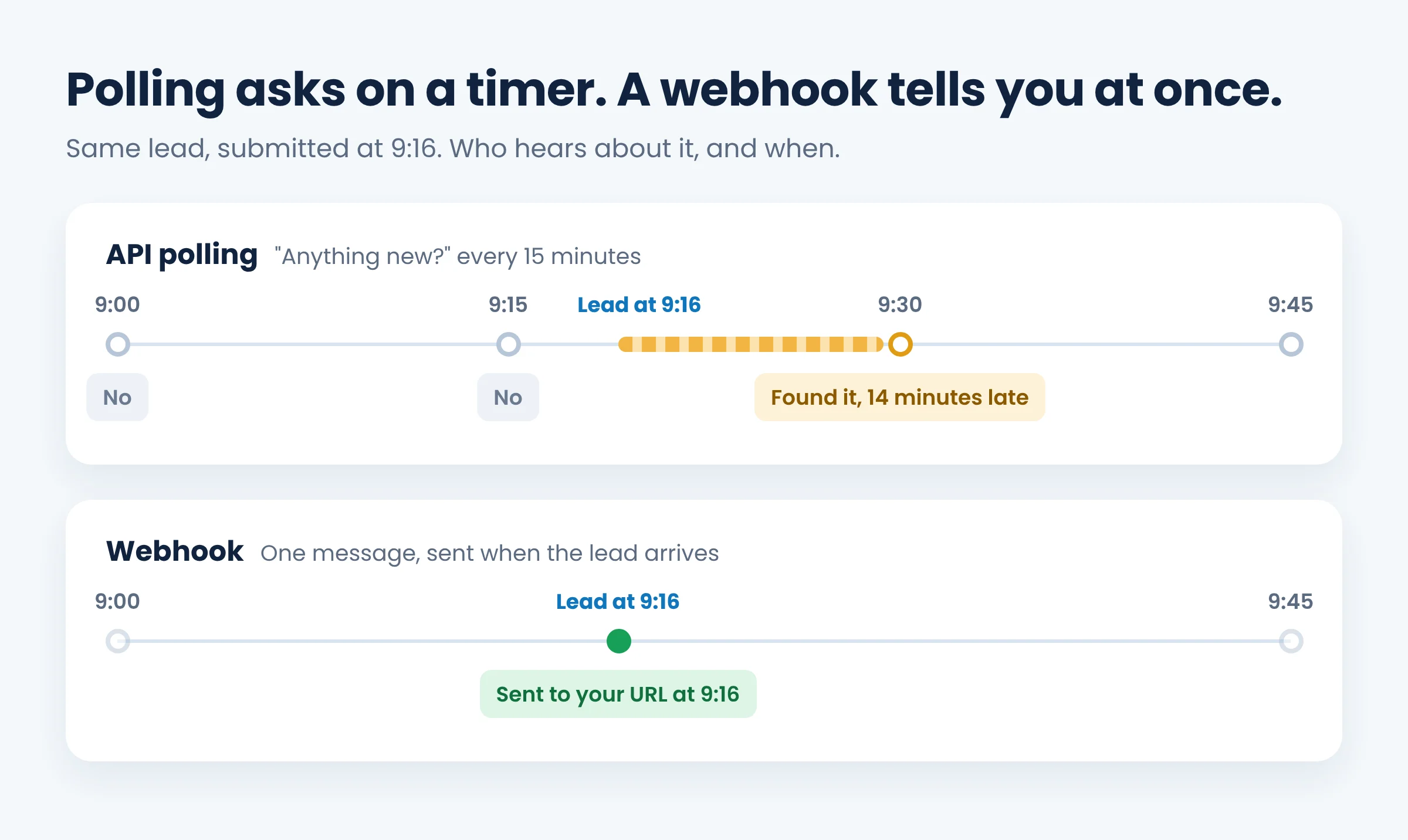
With an API, you ask. With a webhook, you are told.
An API lets your software ask another app for data, such as “give me the leads from this form”. To spot new data, you have to keep asking on a timer. This is called polling, and most of the time the answer is “nothing new”.
A webhook flips this around. The app sends you a message only when there is news, so you hear about it straight away.
| API (polling) | Webhook | |
|---|---|---|
| Who starts it | Your app asks | The other app tells you |
| When you find out | At the next check | As soon as it happens |
| Wasted requests | Many | None |
| Best for | Pulling data on demand, or history | Reacting to new events |
They are not rivals. Most integrations use both: a webhook to hear that something happened, then an API call to get the full details.
For leads, this difference is real money. Some tools still check on a schedule. monday.com’s Meta Ads integration checks once a day by default, and HubSpot’s own help docs say Facebook and LinkedIn lead syncing can take up to two hours.
A real webhook example: Facebook Lead Ads
Here is what really happens when someone fills in your Facebook or Instagram lead form.
1. Someone submits your Instant Form
They tap your ad, the form opens with their details filled in from their profile, and they tap Submit. Meta saves the lead against your Page.
2. Meta sends a webhook to your URL
If your app is subscribed to the leadgen field on your Page, Meta sends a POST like this (the IDs are made up):
{
  "object": "page",
  "entry": [{
    "id": "153125381133",
    "time": 1762852492,
    "changes": [{
      "field": "leadgen",
      "value": {
        "leadgen_id": "1000803789505185",
        "page_id": "153125381133",
        "form_id": "342796307376824",
        "ad_id": "120210000000000002",
        "created_time": 1762852492
      }
    }]
  }]
}
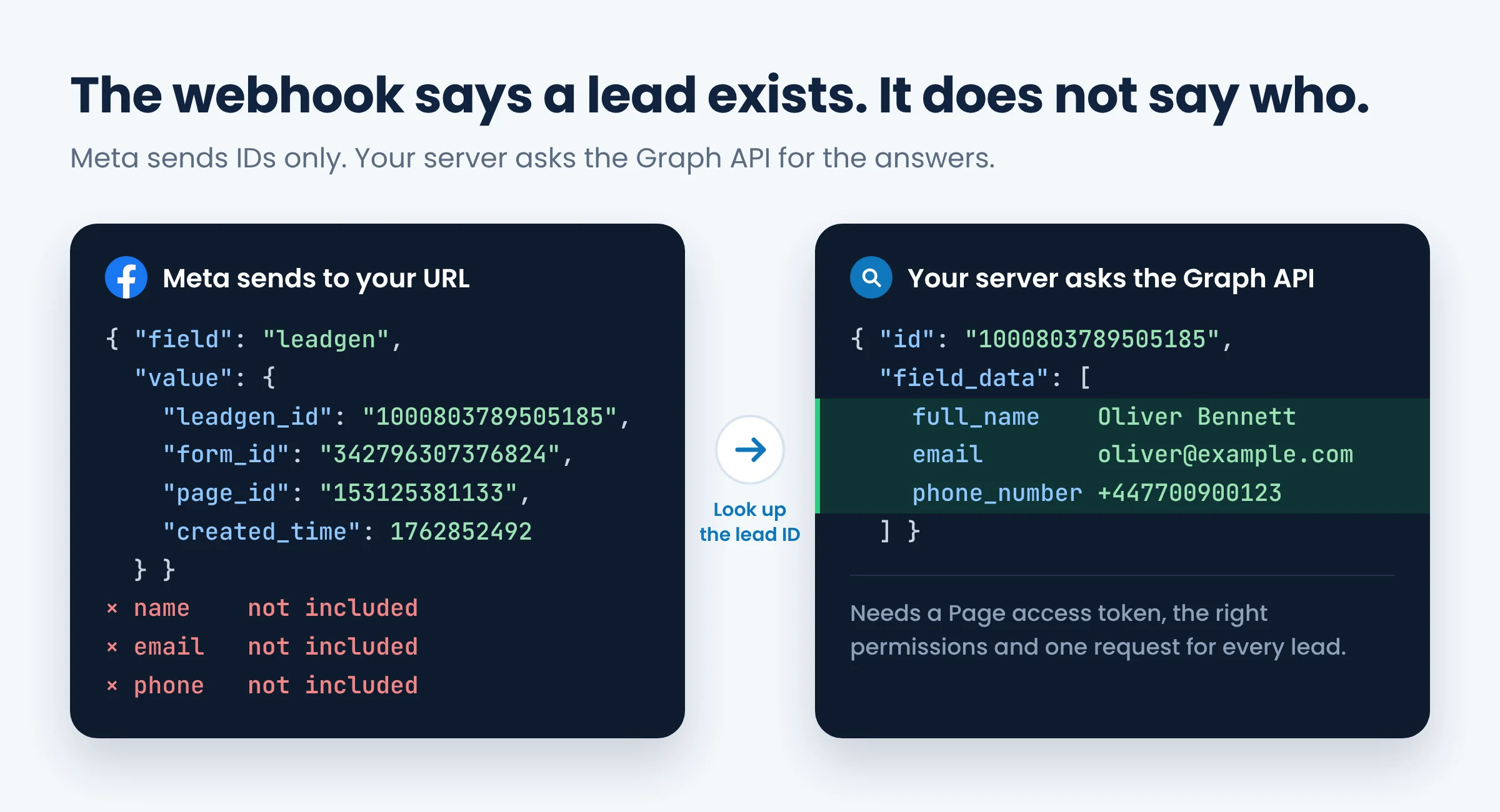
Notice what is missing: no name, no email, no phone number. The webhook only tells you a lead exists.
3. Your server asks for the answers
Your server uses the leadgen_id and a Page access token to request the lead from Meta’s Graph API:
GET https://graph.facebook.com/v25.0/1000803789505185?access_token=YOUR_PAGE_ACCESS_TOKENMeta replies with the form answers:
{
  "id": "1000803789505185",
  "created_time": "2026-11-11T09:14:52+0000",
  "field_data": [
    { "name": "full_name", "values": ["Oliver Bennett"] },
    { "name": "email", "values": ["oliver@example.com"] },
    { "name": "phone_number", "values": ["+447700900123"] }
  ]
}
4. You send the lead to your team
Now your code has to deliver it: create a contact in your CRM, add a row to a sheet, or message the salesperson. Each destination is one more integration to build and maintain.
Meta’s rules you must handle
- Verify your URL. Meta first sends a GET request with
hub.verify_tokenandhub.challenge. You must reply with the challenge value. - Check the signature. Each POST has an
X-Hub-Signature-256header signed with your app secret. Reject anything that does not match. - Reply 200 OK fast. Otherwise Meta counts it as a failed delivery.
- Expect retries and duplicates. Meta retries failed deliveries for up to 36 hours, then drops them. A retry can send the same lead twice.
- Keep your token working. If the Page token expires or someone loses Page access, leads stop arriving and nothing warns you.
- Mind the 90 days. Meta keeps instant form leads for 90 days, so a missed lead does not wait forever.
Do you need to build your own webhook?
If you are a developer and want to own the code, building one is a good project. You will need a Meta app with lead permissions, an HTTPS server, signature checks, token storage, retry and duplicate handling, and a connection to every place a lead should go.
Most businesses do not need any of that. They just need the lead in front of the right person while it is still fresh.
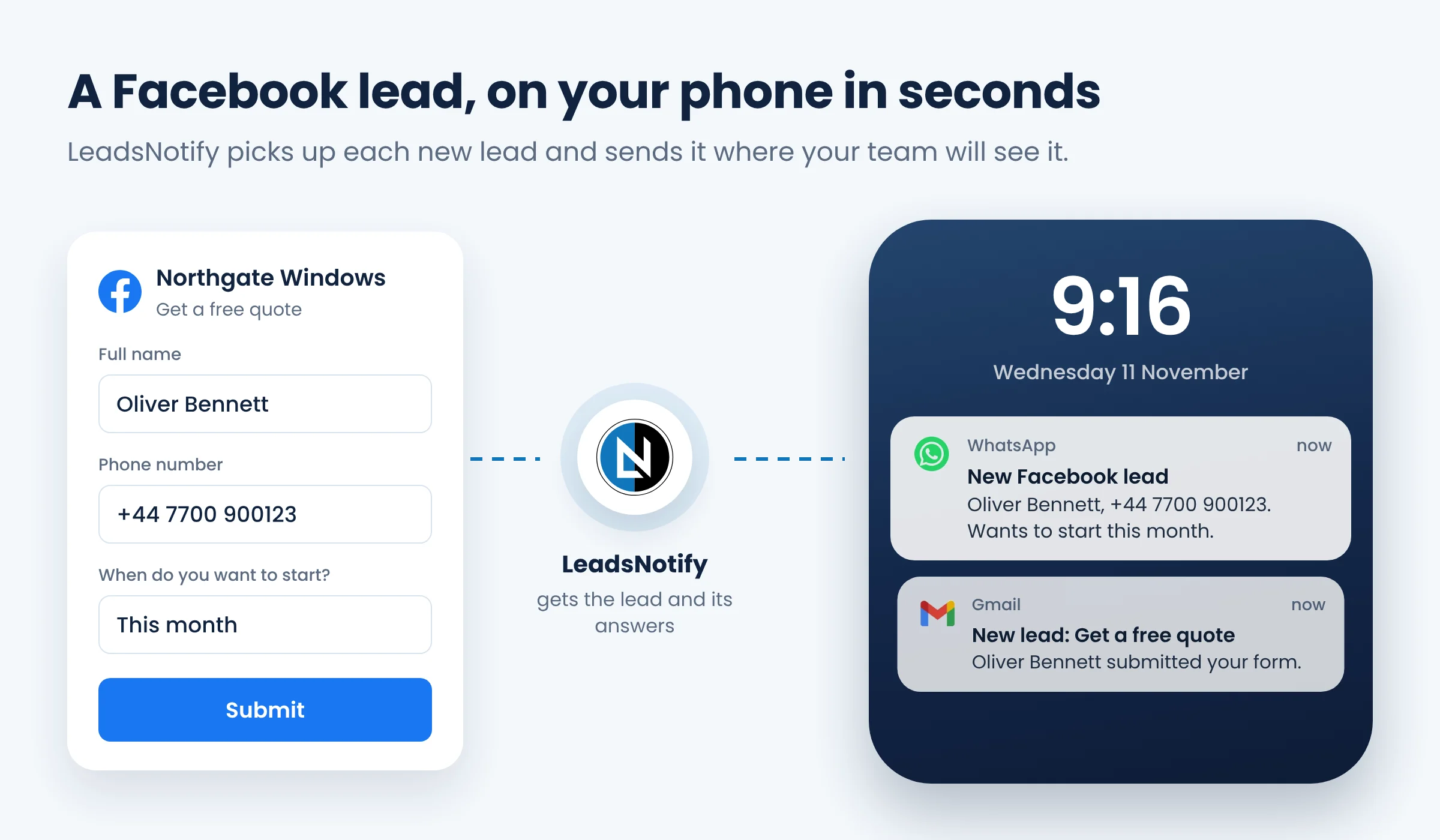
That is what LeadsNotify does. It watches your Facebook Pages (and your LinkedIn, TikTok and Google Ads lead forms), fetches the answers, and sends each lead to your inbox, WhatsApp, Telegram, Slack, Google Sheets or CRM. No server and no code.
Why speed matters
A famous 2007 study by MIT researchers and a lead response company found the odds of reaching a lead dropped 100 times when the first call came at 30 minutes instead of 5. It is an old, small study, but most sales teams see the same thing. More in our guide to speed to lead.
How to get Facebook leads in real time without code
This takes a few minutes, and you can test it before a real lead arrives.
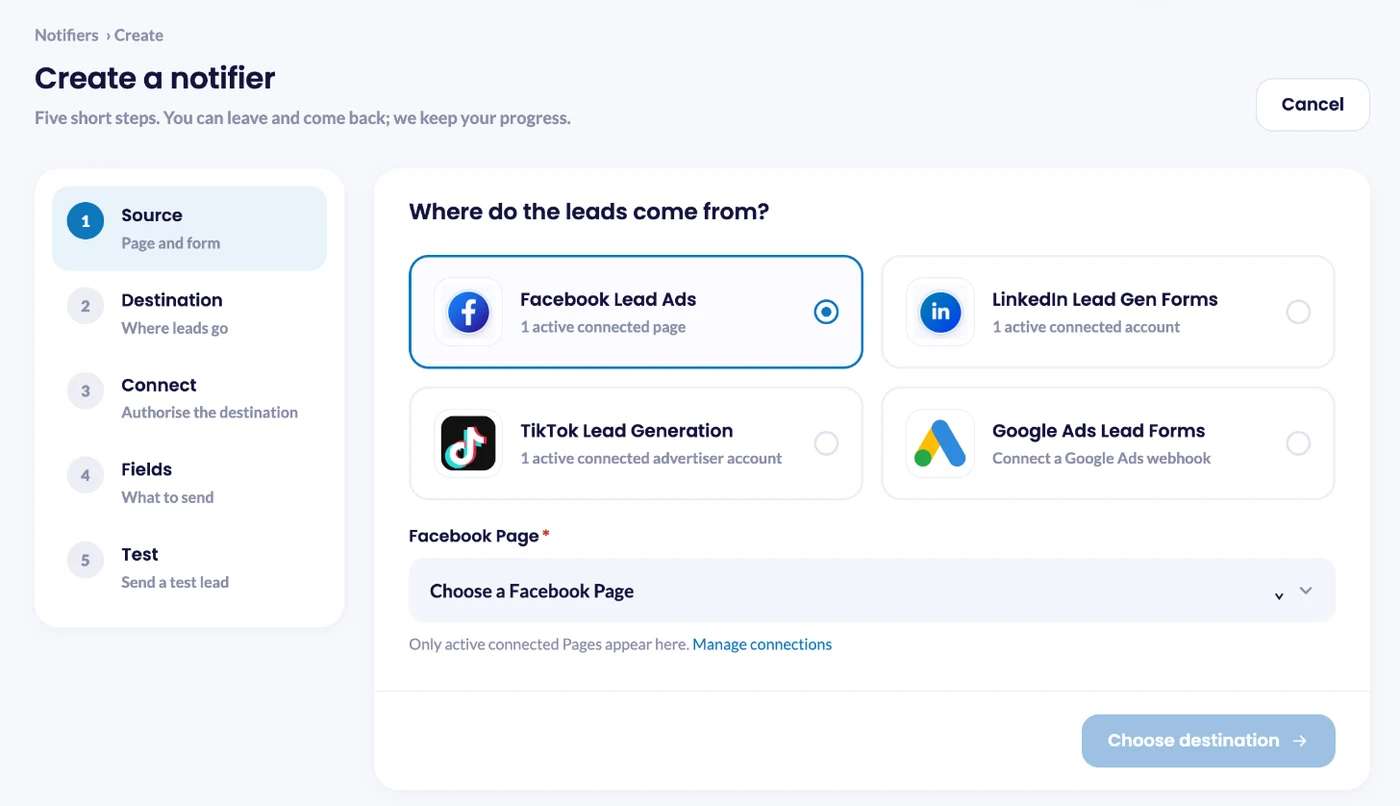
1. Choose Facebook as the source
Click Create notifier, choose Facebook Lead Ads, then pick your Page and lead form.
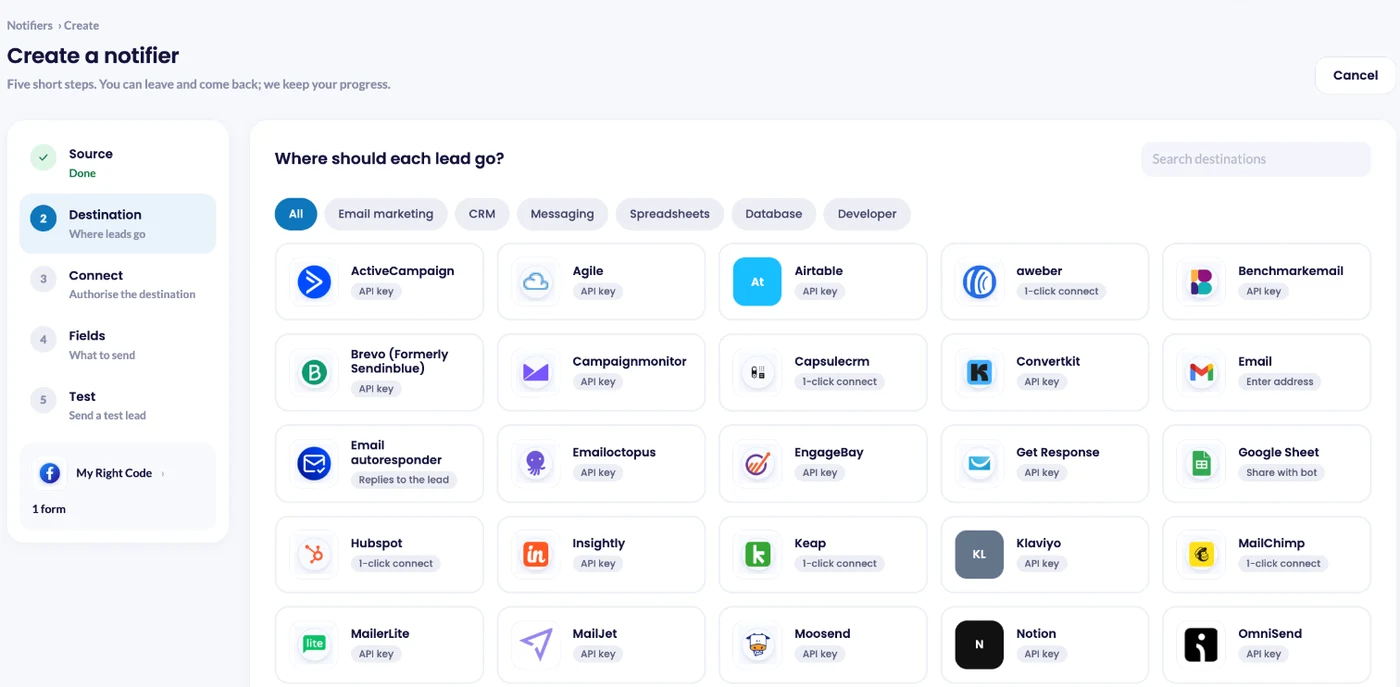
2. Choose where leads go
Pick email for the quickest start, WhatsApp or Telegram for phone alerts, or a CRM such as HubSpot, Zoho CRM or Pipedrive.
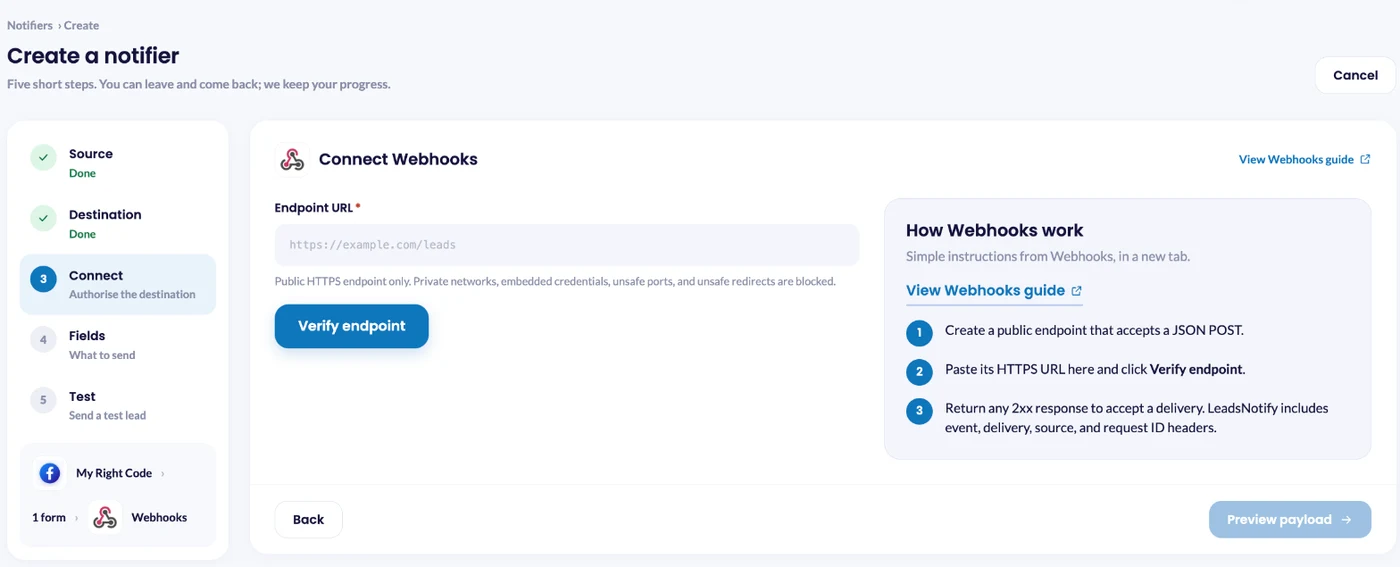
3. Or send leads to your own webhook URL
Have your own system? Choose Webhooks, paste your HTTPS URL and click Verify endpoint. Each lead arrives as a JSON POST with the answers already included, so you never call the Graph API or manage Meta tokens. Reply with any 2xx code to accept it.
Doing the same for LinkedIn? See LinkedIn Lead Gen Forms to a webhook.
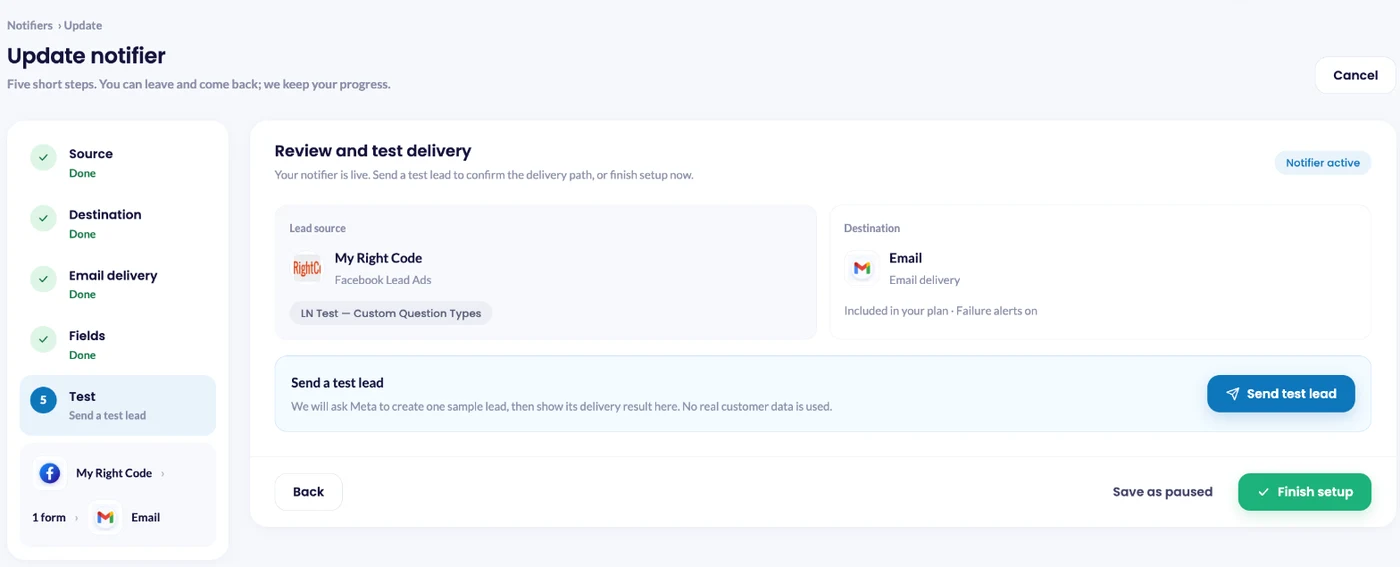
4. Send a test lead
Save the notifier, click Send test lead, then check Lead delivery.
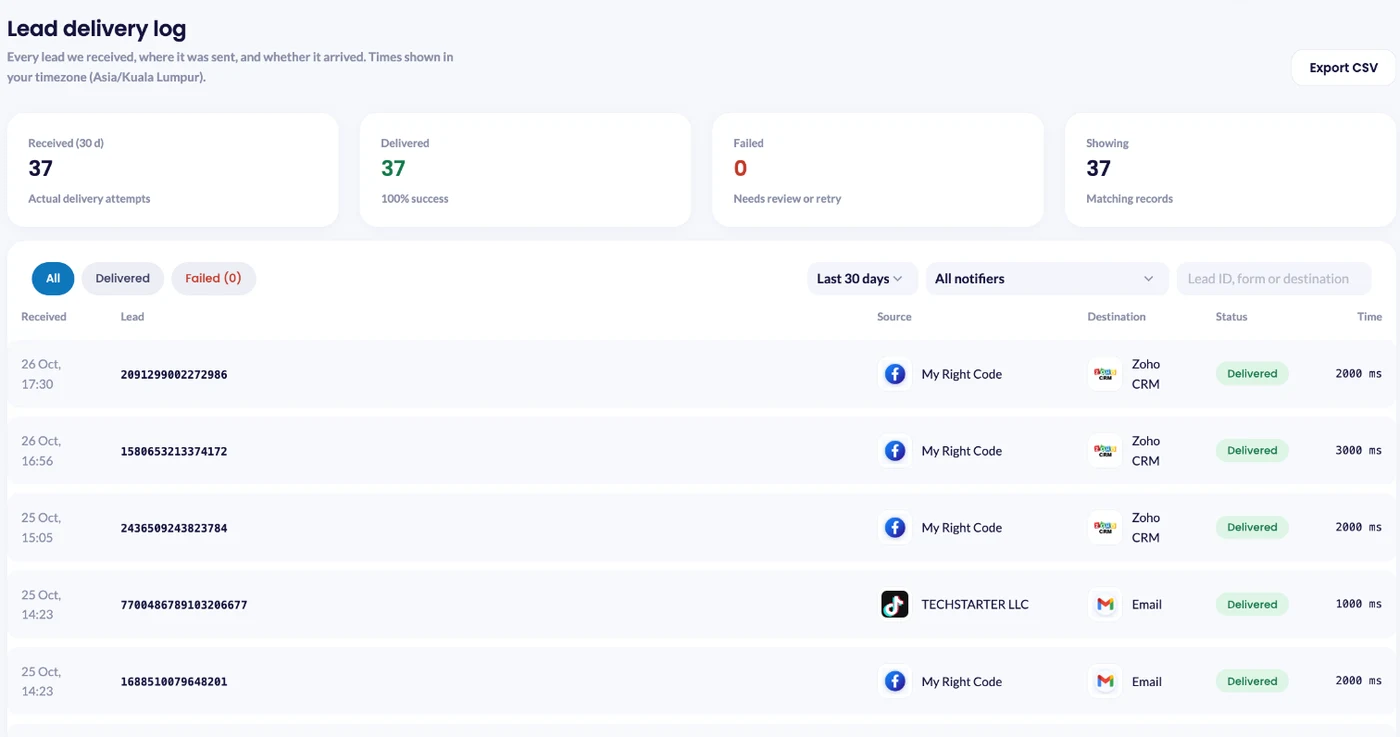
5. See every delivery
The Lead delivery log shows each lead, where it went and whether it arrived. Want the same lead in two places? Add a second notifier for the same form. A lead counts once, however many places it goes.
Step-by-step guides: Facebook leads to WhatsApp, to Slack and to HubSpot.
Can webhooks fail?
Yes. These are the common problems:
- Your server is down. You rely on the sender retrying, and retries stop. Meta stops after 36 hours.
- Silent stops. An expired token or removed permission means webhooks just stop arriving.
- Duplicates. Retries can deliver the same event twice.
- Security. A public URL can receive fake requests. Always check the signature.
- No history. Webhooks only cover new events. Older data still needs the API.
Whatever you use, keep a record of every delivery and get an alert when one fails. In LeadsNotify, failure alerts email you when a lead could not be delivered, so you can fix the cause quickly.
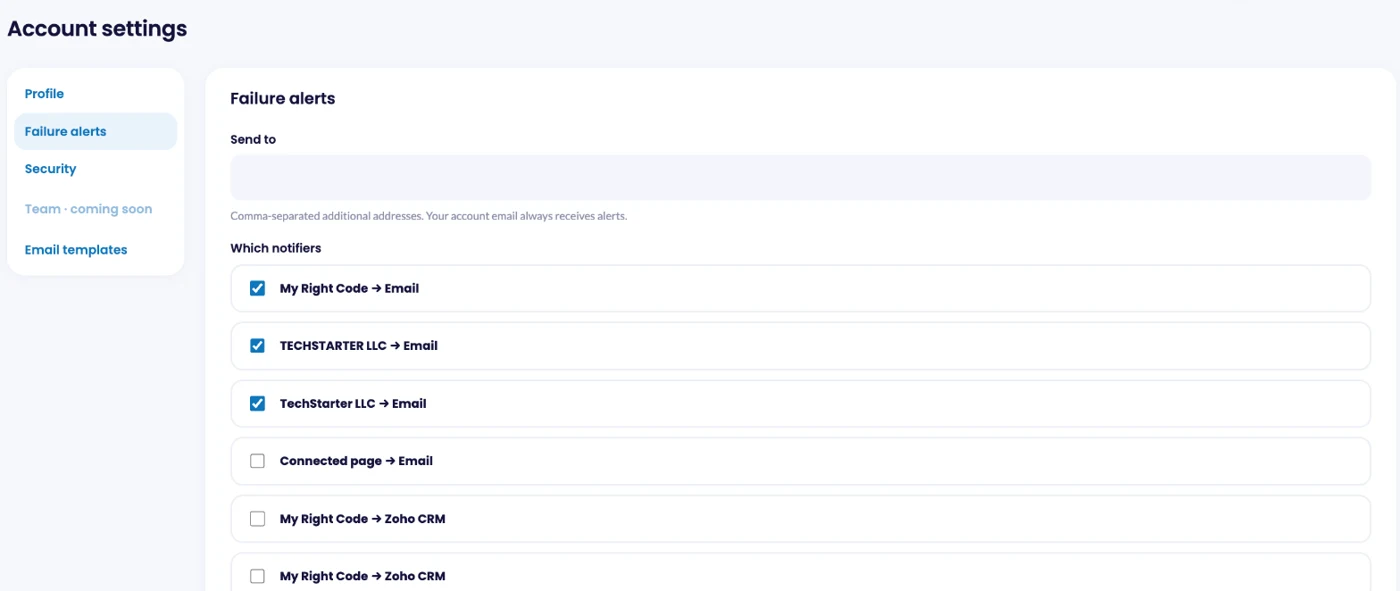
Read more about lead failure alerts and the lead delivery dashboard.
FAQ
What is a webhook in simple terms?
An automatic message one app sends to another when something happens, so you do not have to keep checking.
What is the difference between a webhook and an API?
With an API, you ask for data. With a webhook, data is sent to you when something changes. Most integrations use both.
What is a webhook URL?
The public web address that receives the webhook. It should use HTTPS.
Are webhooks free?
The webhook itself costs nothing and most apps include them. The cost is in receiving them: a server and the time to build and maintain it, or a tool that does it for you.
Can I create my own webhook?
Yes. Any server that accepts a POST and replies with a 2xx code can receive webhooks. For Facebook Lead Ads you also need a Meta app, URL verification, signature checks and a Graph API call for each lead.
Does the Facebook lead webhook include the lead’s details?
No. It sends the lead ID, Page ID, form ID, ad ID and time. You fetch the answers with a separate Graph API request.
What happens if my webhook endpoint is down?
Meta retries for up to 36 hours, then drops the notification. The lead stays in Leads Center for 90 days, but only helps if you know it is missing.
Do I need a webhook to get Facebook leads instantly?
Not one you build. LeadsNotify sends each lead to your email, WhatsApp, Telegram, Slack, Google Sheets or CRM seconds after the form is submitted, or to your own webhook URL if you have one.
Get every lead the moment it arrives
A webhook is just a message that says “this happened, right now”. For lead ads, that message is the difference between calling someone who is still holding their phone and calling someone who has moved on.
Last Updated on November 11, 2026 by Akash Mehra
Set up a free notification in a few minutes.