
Get the job request on the van’s phone before the homeowner tries the next number.
Aircon, plumbing, renovation, pest control: every lead form goes to your booking sheet and the crew’s WhatsApp or Telegram seconds after the homeowner submits it.

 New lead: Siti RahayuAircon service booking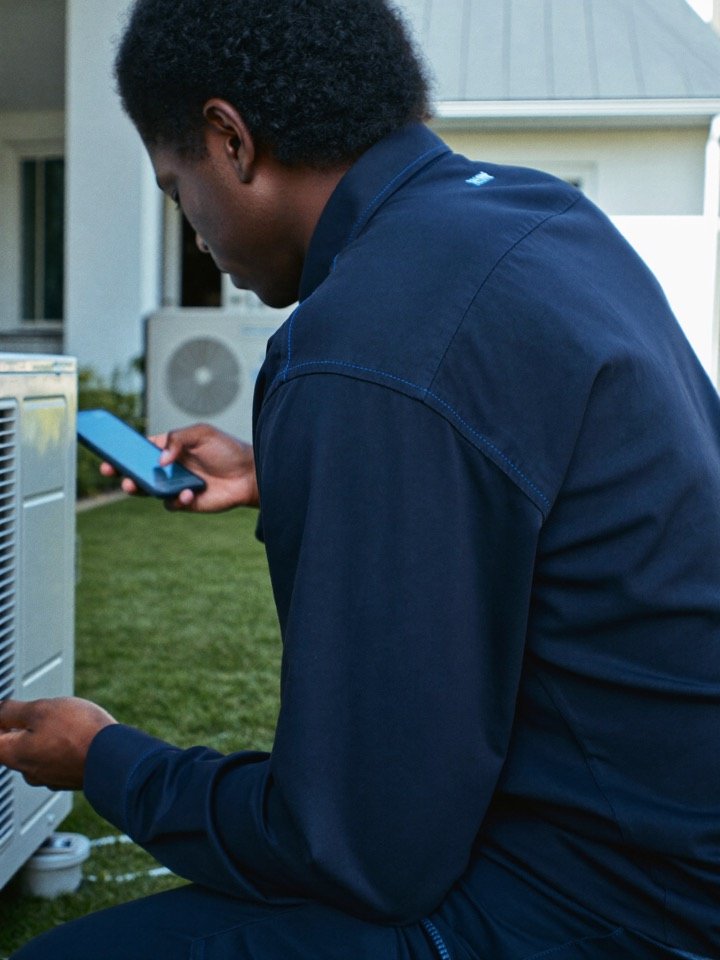
 Reply sentto Siti, automatically
 Added to Google SheetsFields matched
Facebook lead ads for home services businesses, delivered the moment they arrive.
Homeowners who need a plumber, electrician, cleaner or roofer want someone quickly. They fill in a form, then keep searching. Whoever calls back first usually books the job.
LeadsNotify sends every job request from your Facebook, Instagram and LinkedIn lead forms to the technician’s phone and your job sheet the moment it arrives, with the address and the problem in the message.
WhatsAppNew lead: Siti Rahayu
- Phone
- +60 13 456 7788
- Area
- Petaling Jaya
- Form
- Aircon service booking
 Lead form submitted
 Delivered by LeadsNotify
The lead is worth the most in the first few minutes. That is when nobody is looking.
Homeowners call the first one who answers
A leaking pipe does not wait. If the reply is tomorrow, the job is gone.
The crew is on site, not at a desk
The office sees the form. The technician who could quote is under a sink.
Bookings live in a shared sheet
A lead that never reaches the sheet never gets scheduled.
What to ask in a home services lead form
Short forms get more leads. These fields give your team enough to make a useful first call.
- Name and phone numberSo the technician can call straight back.
- Service neededRepair, installation, cleaning or quote.
- Address or postcodeLets you send the job to the team that covers that area.
- Describe the problemA short text box so the technician knows what to bring.
- How urgent is itToday, this week or just getting quotes.
- Photo upload linkAsk them to reply with photos after the first call.
A setup that works for home services teams
One lead form, three destinations. Each lead counts once, however many places it goes.
 Technician alert
Telegram
Each job goes to a Telegram group or WhatsApp so whoever is free can take it.
Telegram integrationJob sheetGoogle Sheets
Every request becomes a row in a Google Sheet the office uses to schedule.
Google Sheets integration CRM
CRMPipedrive
Larger businesses can send jobs to Pipedrive or HubSpot to track quotes.
Pipedrive integrationThree steps, no developer, done before your next appointment.
Connect a page
Sign in to Facebook or LinkedIn once. We read new lead form submissions the moment they arrive.
Pick where leads go
Your CRM, a Google Sheet, and WhatsApp, Telegram or Slack for whoever is on duty. Fields are matched for you.
Send a test, go live
One test lead runs the whole path. When it lands, switch the notifier on.
How home services teams use LeadsNotify
Emergency call-outs
Send urgent jobs to the on-call technician’s phone.
Seasonal campaigns
Collect aircon servicing or gutter cleaning bookings in one sheet.
Quote requests
Route bigger jobs to the estimator, smaller ones to the team.
Multiple service areas
Send each area’s form to the team that covers it.
Tips for faster home services follow-up
- Call urgent jobs back within minutes.
- Ask for the postcode so the right team gets the job.
- Send an email reply with your hours and what happens next (Solo Marketer and up).
- Test each notifier from inside LeadsNotify, then check Lead Delivery.
- Check Lead Delivery weekly for forms that went quiet.
Questions from home services teams
Can technicians get jobs on their phone?
Yes. Telegram, Slack, email, SMS and WhatsApp alerts are on every plan. Free includes 10 SMS/WhatsApp alert credits; after that, prepaid alert credit is required on every plan. Paid subscriptions do not include deliveries.
I do not use a CRM. Is that fine?
Yes. Google Sheets is a common choice for smaller teams.
Can I send different areas to different teams?
Yes. Use a form per area, or a notifier per destination.
How long does setup take?
Most teams connect a page, pick a destination and send a test lead in a few minutes.
Can the whole crew get the alert?
Yes. Send it to a Telegram group or a Slack channel and everyone on shift sees it. WhatsApp alerts go to one verified number per notifier.
Do I need a developer or a Zapier account?
No. You sign in to Facebook or LinkedIn once, pick the page and the lead form, choose where leads go and send a test. The whole set-up runs inside LeadsNotify.
Be the first to call every lead back.
Connect your Facebook, Instagram or LinkedIn lead form, choose where leads go and send a test lead. Free plan with 50 leads a month.