
Speed to Lead: Why the First 5 Minutes Decide the Sale
What speed to lead is, what the research really says about the 5-minute rule, and how to get every lead ad to the right person in seconds.
 By Akash Mehra
4 min read
By Akash Mehra
4 min read
Table of contents
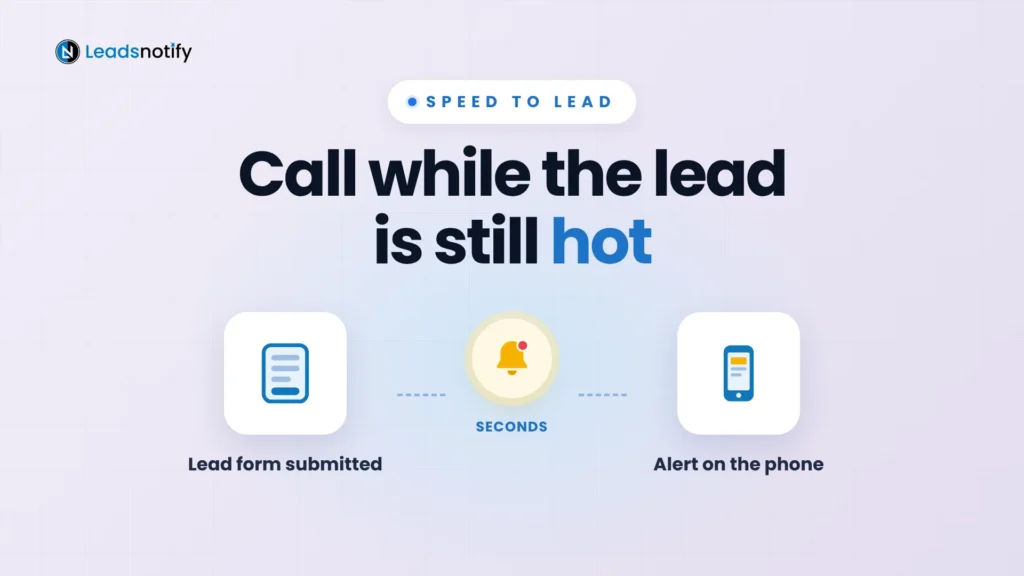
Someone fills in your lead form at 2:14pm. They are also filling in two other businesses’ forms, and they will talk to whoever gets back to them first.
That gap between the form and your first reply is called speed to lead. Here is what it is, what the research really says, and how to close the gap.
Summary
- Speed to lead is the time from a form being submitted to your first real contact with that person.
- The best-known study found the odds of qualifying a lead were 21 times higher when called within 5 minutes than within 30.
- With lead ads, most time is lost before anyone even sees the lead.
- Fix it by sending each lead to the caller’s phone, seconds after the form is submitted.
What is speed to lead?
Speed to lead is the time between a prospect filling in a form and the first call, text or email from a real person on your team. An automatic “thanks, we got your details” message does not count. The clock stops when someone who can help reaches out.
It matters because a lead is never more interested than in the minute they hit submit. After that they get busy, they talk to other businesses, and by tomorrow they may not remember your name.
Is the 5-minute rule real?
Mostly, yes. It comes from the Lead Response Management Study by MIT and InsideSales.com, which looked at more than 15,000 leads from six companies. Compared with calling at 30 minutes, calling within 5 minutes made the odds of reaching the lead 100 times higher and the odds of qualifying them 21 times higher.
Two caveats: the study is from 2007, and it was run with a company that sells lead response software. Other numbers you will see quoted, like “78% buy from the first responder”, we could not trace to any original research, so we don’t use them. The direction is clear though: faster wins.
Where speed to lead is really lost
With Facebook, Instagram and LinkedIn lead ads, the slow part is usually not the call. Your team would call in a minute. They just don’t know the lead exists yet.
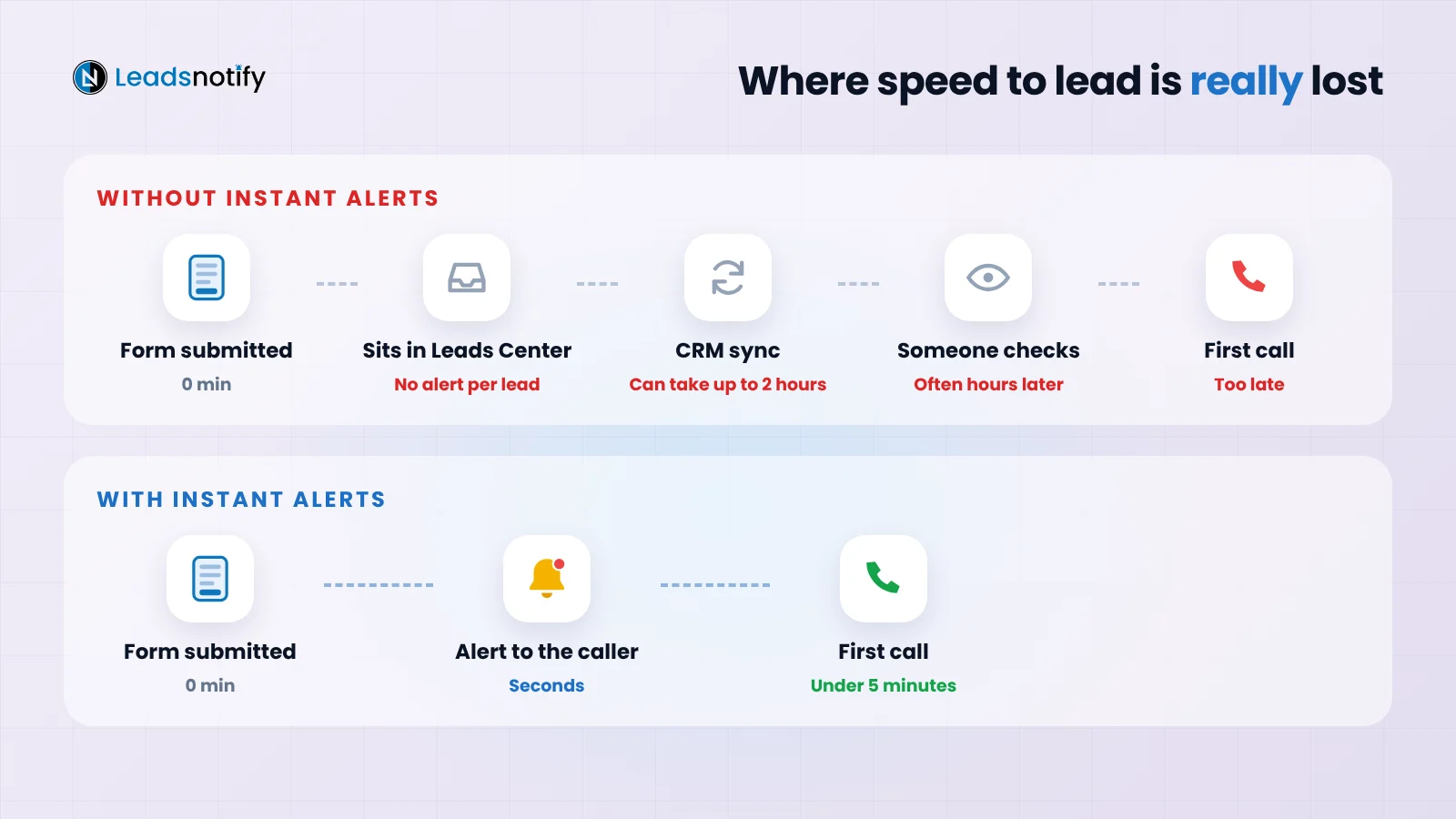
- Leads Center does not alert you. Meta sends no instant notification for each new lead, and Leads Center is not in the Meta Business Suite mobile app.
- CRM syncs can be slow. HubSpot’s own help docs say its Facebook and LinkedIn lead sync can take up to two hours.
- Leads expire. Meta deletes instant form lead data after 90 days, so leads you never download or connect are gone.
How to improve speed to lead in 5 steps
1. Alert the caller, where they already look
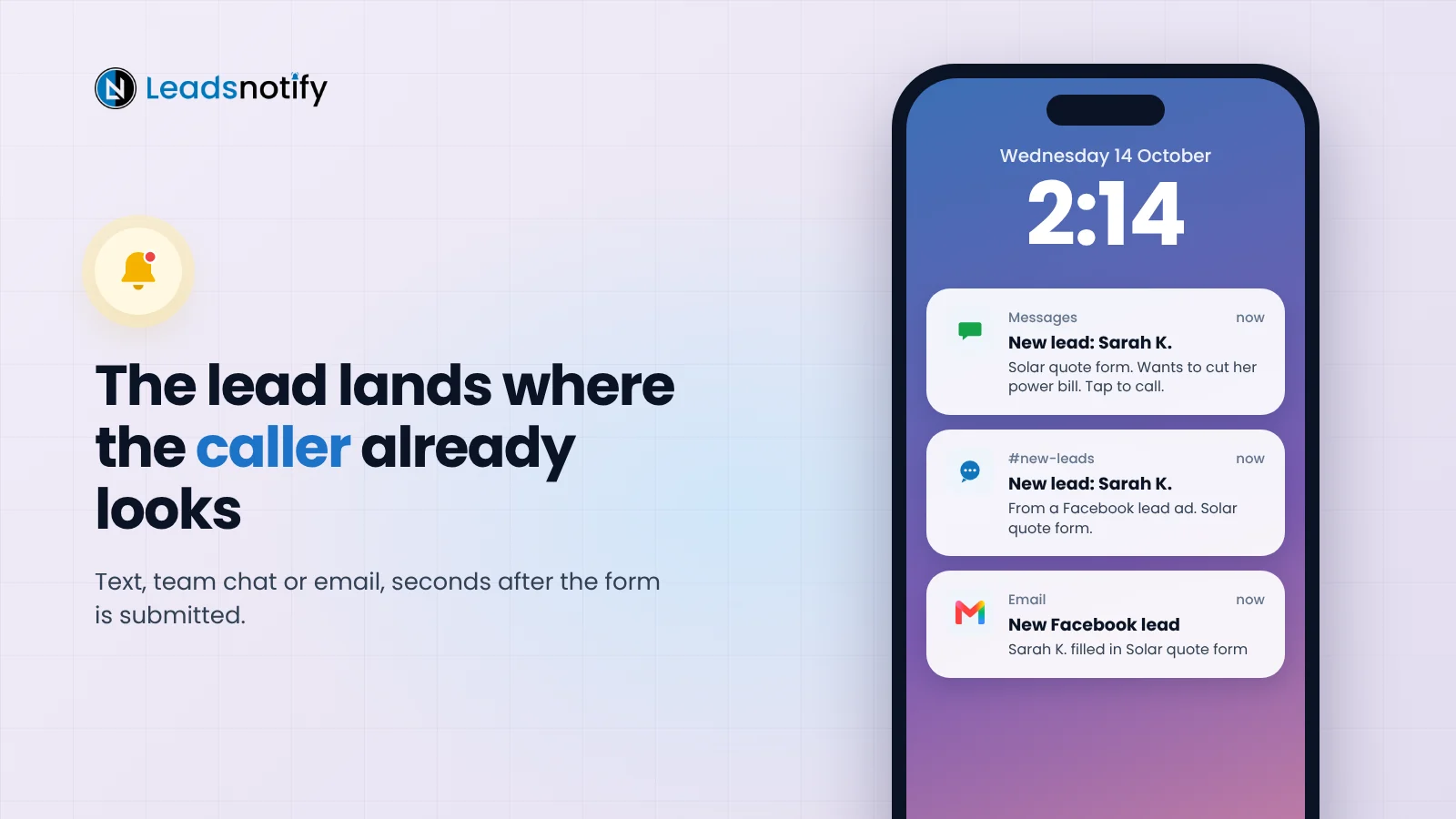
Send each lead to the phone or screen the caller watches all day: a text, a WhatsApp message, a Telegram group or an instant email. Send it to your CRM at the same time.
2. Give every lead one owner
“Someone will pick it up” means nobody does. Split leads by area, product or shift. In a group chat, whoever replies “mine” first calls within two minutes.
3. Call first, then text
No answer? Send a text straight away: “Hi Sarah, Dan from Brightside Solar. You just asked about solar for your home. Free for a quick call at 4pm today or 10am tomorrow?”
4. Have an after-hours plan
Leads arrive at 9pm and on Sundays. Send an instant email with a clear call-back time, then make those leads your first calls the next morning.
5. Measure it every week
Compare the time each form was submitted with the time of the first call. Track the median, aim for under 5 minutes in business hours, and look for slow spots at lunch, evenings and weekends.
Set up instant lead alerts with LeadsNotify
LeadsNotify sends every Facebook, Instagram or LinkedIn lead to your inbox, phone, team chat or CRM seconds after the form is submitted. Set it up in minutes. No code.
- Click Create notifier and pick your lead source.
- Pick a destination: email, Slack, Telegram, WhatsApp, SMS, Google Sheets or your CRM.
- Choose the fields. Put the name, phone and qualifying answer first.
- Save the notifier, click Send test lead, then check Lead delivery.
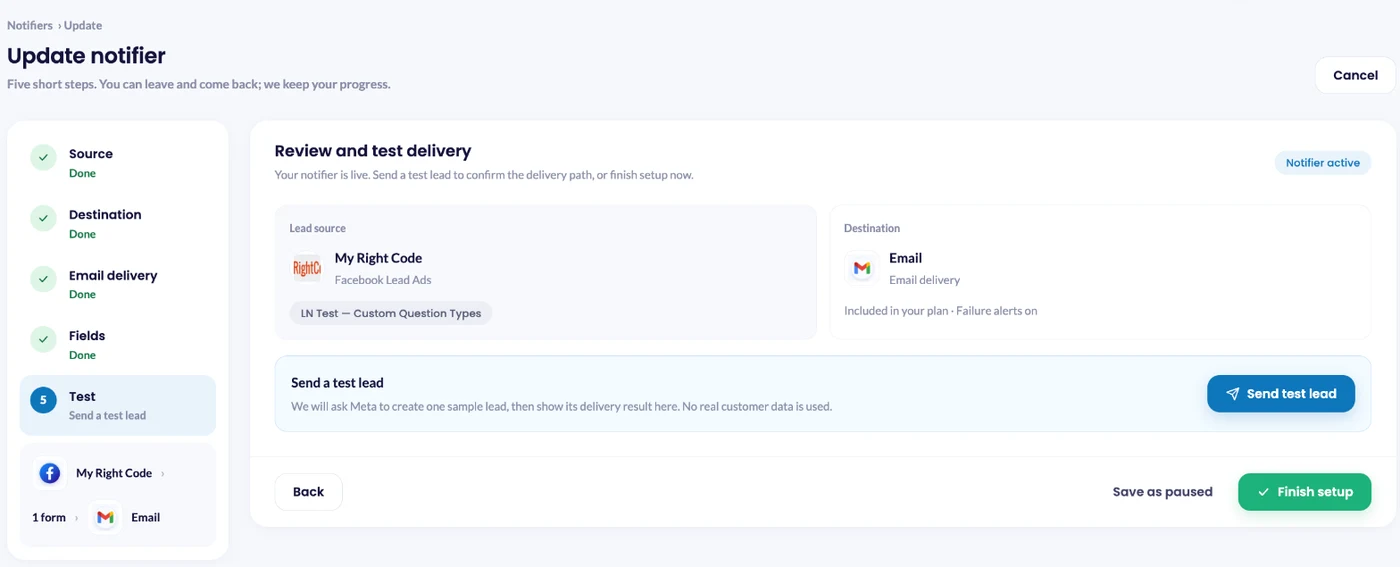
For LinkedIn, send the test lead from Campaign Manager: Content & Assets > Lead generation forms > More > Send Test Lead. Then open Lead delivery to see where every lead went.
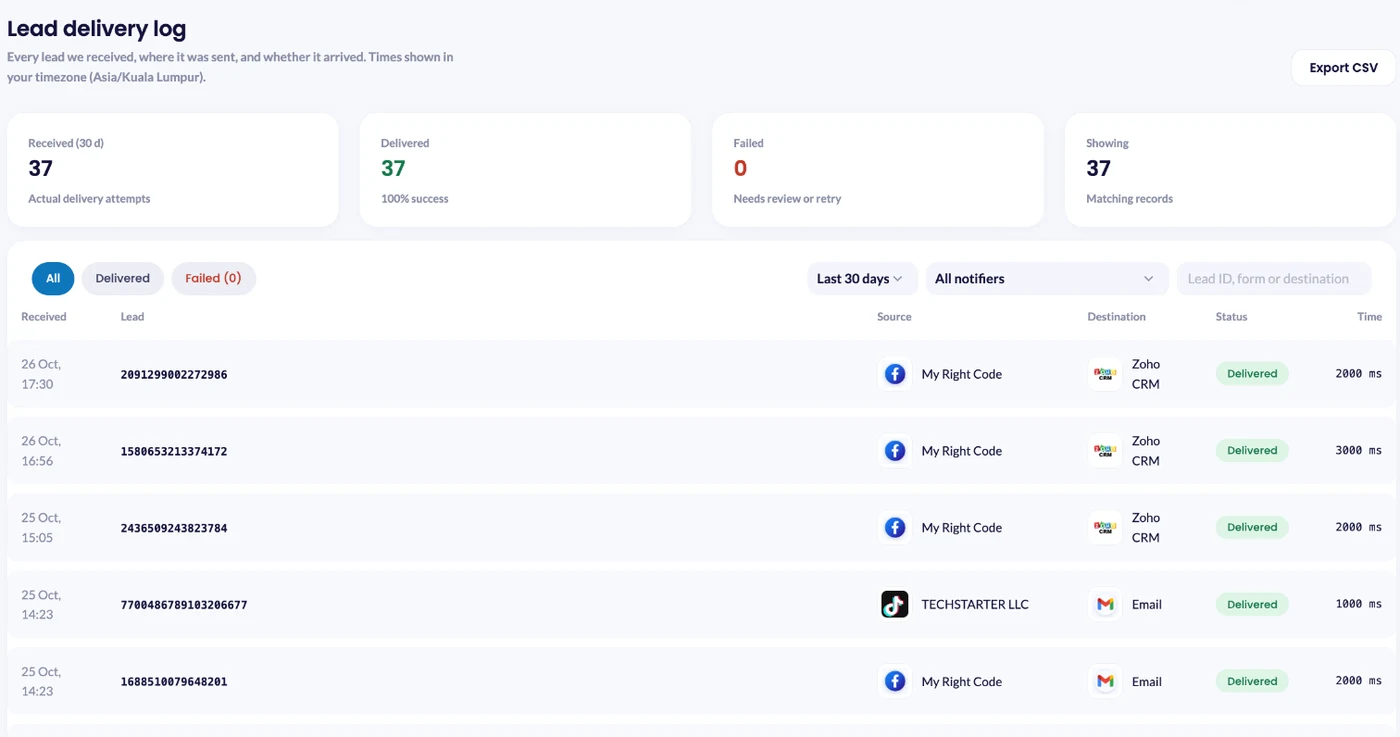
The free plan covers 50 leads a month with one notifier, and no card is needed. Email, Slack and Telegram alerts work on every plan, including free.
FAQ
What is a good speed to lead?
Under 5 minutes during business hours. For urgent jobs like roof leaks or storm damage, aim for under a minute.
Does Facebook notify me of new leads?
Not instantly. Meta’s Leads Center does not send an alert for each new lead. Connect your form to a tool that sends instant alerts to email, chat or your phone.
How do I measure speed to lead?
Record when each form was submitted and when the first person-to-person contact happened. Track the median gap each week.
Last Updated on October 31, 2026 by Akash Mehra
Set up a free notification in a few minutes.