
Facebook Ads for Real Estate: 7 Strategies That Generate Leads in 2026 (With Real Examples)
7 Facebook ad strategies for real estate agents, each with a real ad from the Meta Ads Library. Seller and buyer lead ads, video, retargeting and the Housing rules.

Table of contents
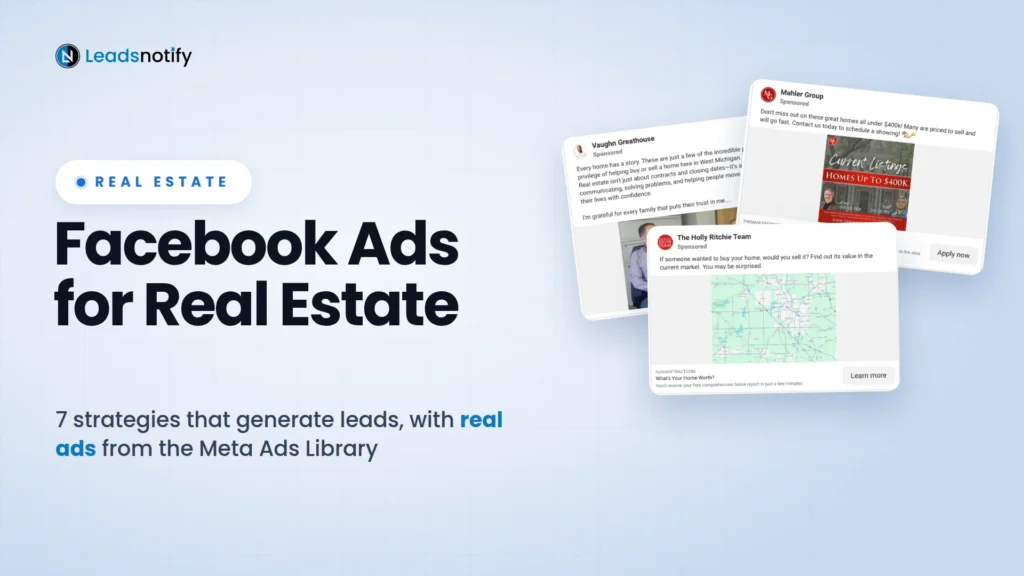
Running Meta (Facebook and Instagram) ads for real estate can feel like throwing money into a black hole if you don’t know what you’re doing. With rising ad costs, more competition and Meta’s Housing ad rules that block age, gender and ZIP code targeting, the “just boost this post” strategy is officially dead. So what works in 2026? We went through the Meta Ads Library and pulled live real estate ads from agents, teams and builders to find the 7 Meta ad strategies that consistently drive high-quality, motivated leads. Better yet, we’ll show you exactly how to execute each one, how to set up the lead form behind the ad, and how to get every lead to an agent in seconds once it comes in.

Are Facebook ads worth it for real estate?
Yes, for most agents, as long as you go in expecting leads rather than ready buyers. Facebook and Instagram put you in front of homeowners and renters in your area at a lower cost per click than most paid channels. The common complaint, which you’ll see in every realtor forum, is lead quality: lots of names, not many conversations.
That problem usually comes down to three fixable things:
- The offer is weak. “Contact me” asks for trust you haven’t earned yet. A home valuation or a buyer’s guide gives people a reason to raise their hand.
- The form lets anyone through. No qualifying questions means every curious scroller becomes a “lead”.
- The follow-up is slow. A lead who hears back tomorrow has already forgotten filling in your form.
The seven strategies below deal with the first two. The last section deals with the third.
How to find real estate ads that work in the Ads Library
The Meta Ads Library is free, public and shows every active ad running on Facebook and Instagram. Here’s how to use it as a swipe file for real estate:
- Set the country to United States and the ad category to Properties (Meta’s label for housing ads).
- Search a phrase your buyers or sellers would respond to, like “home worth”, “buyer guide” or “just listed”, or search the name of a top brokerage in your city.
- Look at “Started running on” on each ad. An ad that has run for a year or more is almost certainly paying for itself.
- Look for “This ad has multiple versions”. That means the advertiser is testing headlines or images, and the version still running is the one winning.
Every example in this guide was found exactly this way. Click any screenshot to open the live ad.
1. The home valuation ad (seller leads)
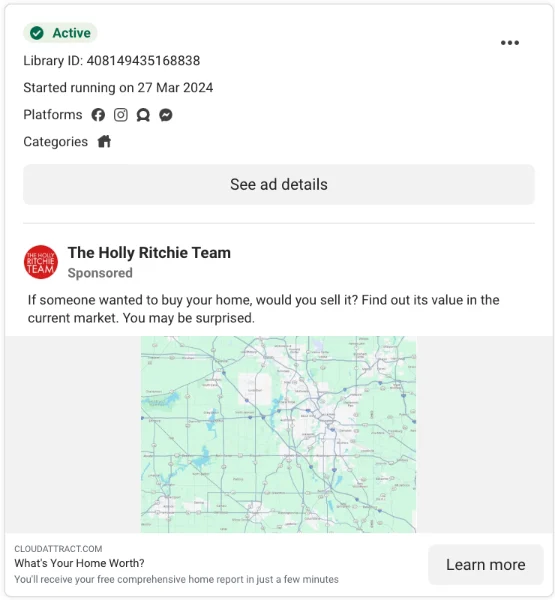
The copy is two short sentences: “If someone wanted to buy your home, would you sell it? Find out its value in the current market. You may be surprised.” The offer underneath is a free home report.
Why it works: every homeowner is curious about what their home is worth, and nobody has to admit they’re thinking of selling to find out. It pulls in sellers months before they call an agent, which is exactly when you want to meet them.
How to copy it: run it with the Leads objective and an instant form. Ask for the property address, then one question: “When might you consider selling?” with options like “In the next 3 months”, “3 to 12 months” and “Just curious”. That one answer tells you who to call first.
2. The free guide with an instant form (buyer leads)
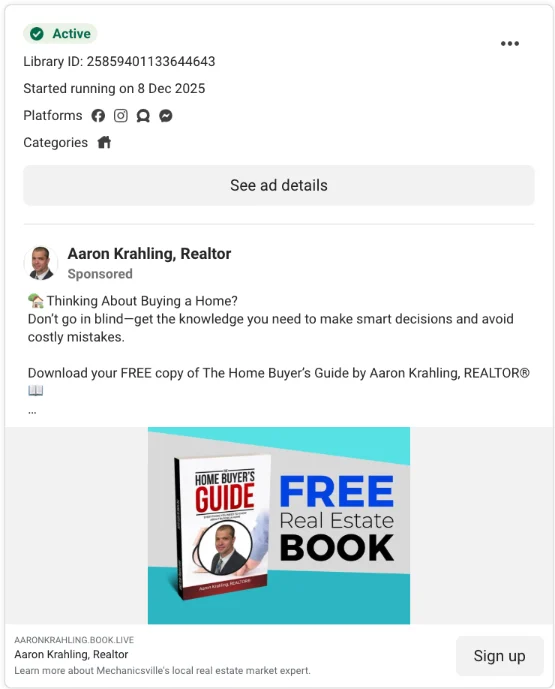
“Contact me” is a big ask. “Download your free copy of The Home Buyer’s Guide” isn’t. This agent offers a book, frames it around avoiding costly mistakes, and uses a Sign up button so the details are collected without anyone leaving Facebook.
Why it works: instant forms fill in the person’s name, email and phone number from their profile, so claiming the guide takes a couple of taps. Low effort for them, a real lead for you.
How to copy it, and keep lead quality up:
- Pick an offer tied to your market: a relocation guide for your city, a first-time buyer checklist, or a monthly list of new listings.
- Choose the Higher intent form type instead of More volume. It adds a review screen where people confirm their details before submitting, which filters out accidental taps.
- Add two or three qualifying questions: budget range, buying timeline, and whether they’re already pre-approved. We cover the questions that work best in our guide to Facebook lead ads for real estate.
- Add your privacy policy link. Instant forms require one.

3. The curated list ad
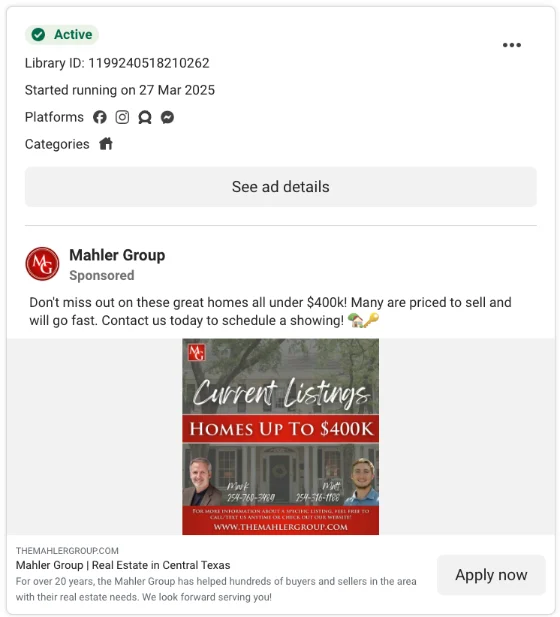
Instead of betting the budget on one house, this team advertises a price band: “great homes all under $400k”.
Why it works: most buyers scrolling Facebook haven’t picked a house yet. They have a budget and an area. A list like “Move-in ready homes under $450K in [City]” or “4 condos with rooftop terraces” speaks to where they are right now, and the ad stays useful as listings change.
How to copy it: pick a price ceiling or feature your buyers search for, and offer the full list in exchange for an email or phone number. Refresh the list every week so repeat viewers have a reason to come back.
4. The one-property carousel
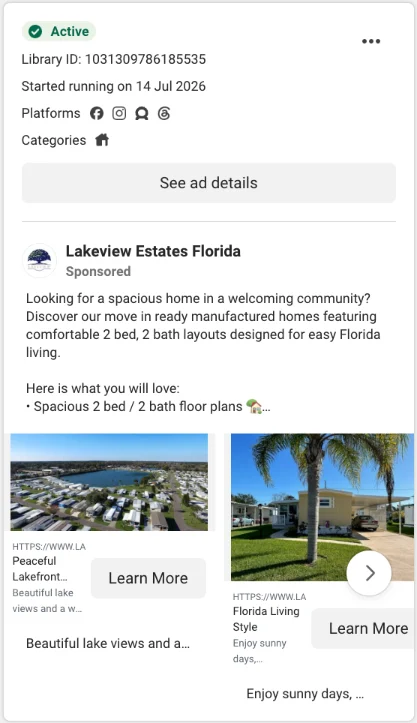
Carousel ads let you show 2 to 10 cards in a single ad, each with its own image, headline and link. This community uses them to show one place from several angles: the lake view, the street, the home itself, with a short headline under each.
How to copy it: for a single listing or a new development, give each card one job:
- The best exterior shot, with the price and area in the headline
- The floor plan
- The kitchen or the standout room
- The location: school, park or commute time
- The offer: “Book a private showing this weekend”
Keep one property or one development per carousel. Mixing three unrelated listings in one ad makes it harder for the buyer, and for Meta, to work out who it’s for. If you want to show several listings, that’s what the curated list ad above is for.
5. Agent-on-camera and walkthrough video
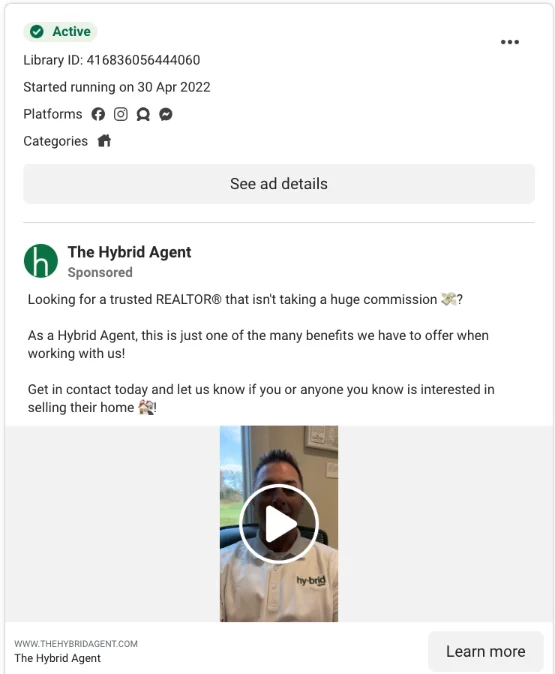
A vertical video, clearly filmed on a phone, of an agent explaining one reason to work with them. No studio, no script on screen, just a person talking to the camera.
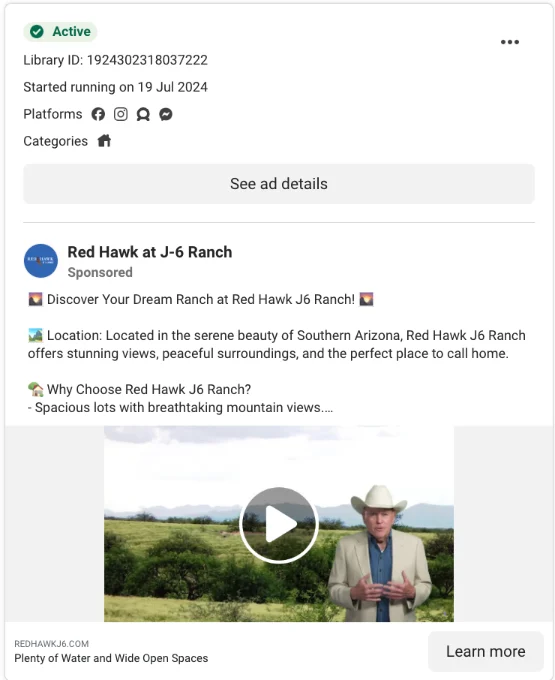
Why it works: real estate is a trust purchase, and a face builds trust faster than a logo. A simple video of you in the property, or talking to camera about the market, will often beat a polished graphic, because it looks like content rather than an ad.
How to copy it: keep it to 15 to 30 seconds and structure it like this:
- First 2 seconds: a text overlay with the hook, like “3 bed in Riverside, from $489K”, so it works with the sound off.
- The middle: a walkthrough of the best room and one standout feature, or one clear point about the market.
- Last 3 seconds: one call to action, like “Tap to get the full tour and floor plan”.
Film vertically. Use 4:5 for Facebook and Instagram feeds and 9:16 for Reels and Stories.
6. The client testimonial ad
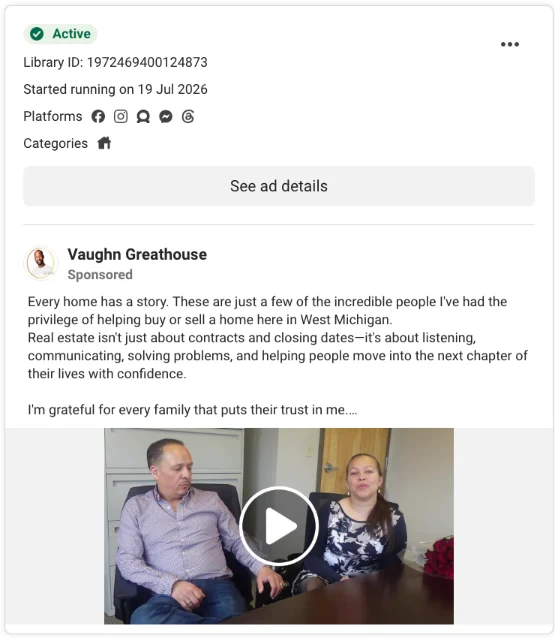
This agent lets past clients do the selling. The video is two people sitting at a table talking about their experience, and the copy opens with “Every home has a story.”
Why it works: buying or selling a home is a big, stressful decision, and people trust other clients far more than they trust an agent’s own claims. When a prospect sees someone like them who had a good experience, the ad stops feeling like an ad.
How to copy it: after your next closing, ask the clients for 30 seconds on camera. A phone on a table is enough. Ask them one question: “What was it like working with us?” Run it to your local area and, even better, to people who have already seen your other ads.
7. The “still looking?” retargeting ad
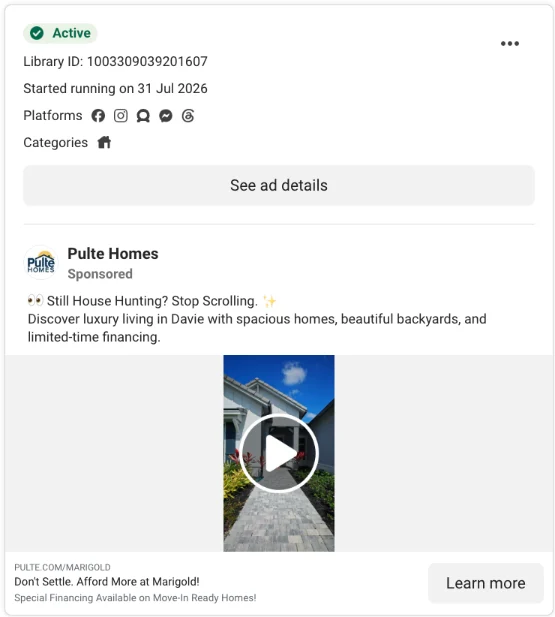
“Still house hunting? Stop scrolling.” That line only makes sense to someone who is already looking, which is exactly who a retargeting ad is for. The Ads Library doesn’t show who an ad is targeted to, but copy like this is written for a warm audience.
Why it works: most people aren’t ready to buy or sell the first time they see your ad. Retargeting keeps you in front of them until they are.
How to copy it: even under the Housing rules you can still build Custom Audiences from your own data. Four worth setting up:
- People who visited your website in the last 30 days
- People who watched at least half of one of your videos
- People who engaged with your Facebook Page or Instagram profile
- People who opened your instant form but didn’t submit it
Show them your testimonial ad, a new listing, or a line like “Still looking in [City]? Two new homes just came on the market. Tap for the details.”
For brokerages: catalog ads for listings
If you have a large inventory, Meta has an ad type built for it: Advantage+ catalog ads for real estate (previously called dynamic ads for real estate). You upload your listings as a catalog, with fields like the listing ID, address, price, photos and availability, and build one ad template. Meta then fills it with the listings each person is most likely to care about, including ones similar to listings they’ve already viewed on your site.
It needs a catalog and the Meta Pixel on your website, so it’s more setup than a solo agent needs. For a brokerage, portal or developer with many units, it saves building an ad for every listing.
The Housing rules you can’t skip
Any ad for homes for sale or rent, real estate services, mortgages, homeowners insurance or related services must be set to Special Ad Category: Housing. Skip it and the ad gets rejected. Meta explains the reasoning in its discriminatory practices policy. Here’s what changes when you select it:
| Targeting option | Under the Housing category |
|---|---|
| Age | Fixed at 18 to 65+. You can’t narrow it. |
| Gender | All genders only. |
| Location | No ZIP code targeting. Minimum radius of about 15 miles around a city, address or pin. |
| Detailed targeting | Heavily limited, and exclusions aren’t available. |
| Lookalike Audiences | Not available. |
| Custom Audiences | Still available: website visitors, video viewers, Page and profile engagers, your own lists. |
Your audience will be broad by design, and that’s fine. It’s the reason the creative, the offer and the form questions matter so much more than targeting now. A clear video with a price and a location will outperform a clever audience with a weak ad.
Which Facebook ads should you run?
- You want seller leads: start with the home valuation ad (strategy 1) and back it with a testimonial ad (strategy 6).
- You want buyer leads fast: run a free guide or curated list with a Higher intent instant form (strategies 2 and 3), plus retargeting (strategy 7).
- You’re launching one listing or development: a one-property carousel and a short walkthrough video (strategies 4 and 5).
- You’re a brokerage with many listings: catalog ads, plus website retargeting.
- Your leads are low quality: switch from More volume to Higher intent, add budget and timeline questions, and call back faster. The next section is about that last part.
If your buyers expect to message rather than fill in a form, which is common with international and relocation buyers, click-to-Messenger and click-to-WhatsApp ads open a chat instead of a form. The same Housing rules apply.
What happens after someone fills in the form
A great ad only gets you a name and a phone number. What turns that into a showing is how quickly someone calls. And by default, nothing tells you a lead has arrived: Meta stores instant form leads in Leads Center, which sends no instant per-lead notification. Leads sit there until someone remembers to check, and Meta deletes the lead data after 90 days.
That’s the gap LeadsNotify fills. The moment someone submits your Facebook or Instagram lead form, LeadsNotify sends the lead where your team will see it, seconds after the form is submitted:
- To the agent’s phone by WhatsApp, Telegram or email, with the name, phone number and the answers to your qualifying questions in the message itself.
- To your CRM or a Google Sheet, so every lead is kept after Meta’s 90 days are up.
- To the right agent, by setting up a separate notifier for each form, area or listing.
Because the budget and timeline answers arrive with the alert, the agent knows who to call first before picking up the phone. One lead sent to several places still counts as one lead.

Pick the channel your team already checks: our guides cover Facebook lead ads to WhatsApp, Facebook lead ads to Telegram, Slack, email notifications and Google Sheets.
Your ads are working. Make sure the leads are too. Connect your Facebook Page, pick your lead form, and choose where each lead goes. Set it up in minutes. No code.
Questions agents ask
Are Facebook ads worth it for real estate agents?
Yes, if you pair a strong offer with qualifying questions and fast follow-up. Facebook and Instagram reach homeowners and renters in your area at a low cost per click. Most agents who give up on them do so because of lead quality, which a Higher intent form and a quick call-back largely fix.
How do I run Facebook ads for real estate?
Create a campaign in Ads Manager with the Leads objective, select Special Ad Category: Housing, set a location radius around your area, and use an instant form with two or three qualifying questions. Then connect the form so every lead reaches an agent the moment it’s submitted.
Can realtors target by ZIP code or age on Facebook?
No. Under the Housing category, age is fixed at 18 to 65+, gender can’t be targeted, ZIP codes can’t be used, and the location radius has a minimum of about 15 miles. Lookalike Audiences aren’t available, but Custom Audiences built from your own website visitors and engagers are.
What are the best Facebook ads for real estate?
The ads that run longest in the Ads Library are home valuation offers for sellers, free guides and curated listing lists for buyers, agent-on-camera videos, and client testimonials. Retargeting ads for people who already know you round out the mix.
How can I see what real estate ads other agents are running?
Use the free Meta Ads Library. Set the country, choose the Properties category, and search a keyword or a brokerage name. Each ad shows the date it started running, so you can spot the ones that have lasted.
Do Instagram ads work for real estate?
Yes. The same campaign runs on Facebook and Instagram, and vertical video in Reels and Stories suits property tours well. Instagram lead ads use the same instant forms, so the leads arrive the same way.
Related reading
- Facebook lead ads for real estate: a complete guide for agents
- Facebook lead ads to WhatsApp
- Facebook lead ads to Telegram
- How to send Facebook leads straight to your email
- Facebook leads to Google Sheets without Zapier
- Instagram lead ads
- Meta instant forms explained
- Facebook lead ad notifications: every way to get alerted
Last Updated on September 28, 2026 by Akash Mehra
Set up a free notification in a few minutes.

Abdullah Khan
A Technical Lead and backend architect with 10+ years of experience building reliable, high-scale APIs and automation systems. At LeadsNotify, he helps build and maintain the integrations that route Facebook and LinkedIn leads to email, CRMs, and marketing tools in real time.
Connect on LinkedIn ↗