
How to Connect Facebook Leads with VerticalResponse?
How to Connect Facebook Leads to VerticalResponse VerticalResponse is an online marketing platform that helps businesses create and manage email marketing campaigns, newsletters, surveys, and other customer communications. By connecting Facebook Lead Ads with VerticalResponse, you can automatically send new leads to…

Table of contents
How to Connect Facebook Leads to VerticalResponse
VerticalResponse is an online marketing platform that helps businesses create and manage email marketing campaigns, newsletters, surveys, and other customer communications. By connecting Facebook Lead Ads with VerticalResponse, you can automatically send new leads to your VerticalResponse contact list instead of transferring them manually.
In this guide, we’ll show you how to connect Facebook Lead Ads to VerticalResponse using LeadsNotify. The setup only takes a few steps and lets you automatically send new Facebook leads to a selected VerticalResponse list.
Step 1: Sign Up and Log In to LeadsNotify
First, sign up or log in to LeadsNotify. You’ll use LeadsNotify to connect your Facebook Lead Ads with your VerticalResponse account.
Step 2: Connect Your Facebook Account
Connect your Facebook account with LeadsNotify. If you haven’t connected Facebook before, follow Steps 1 and 2 in our guide: How to Connect Facebook Lead Ads.
Step 3: Create the VerticalResponse Integration
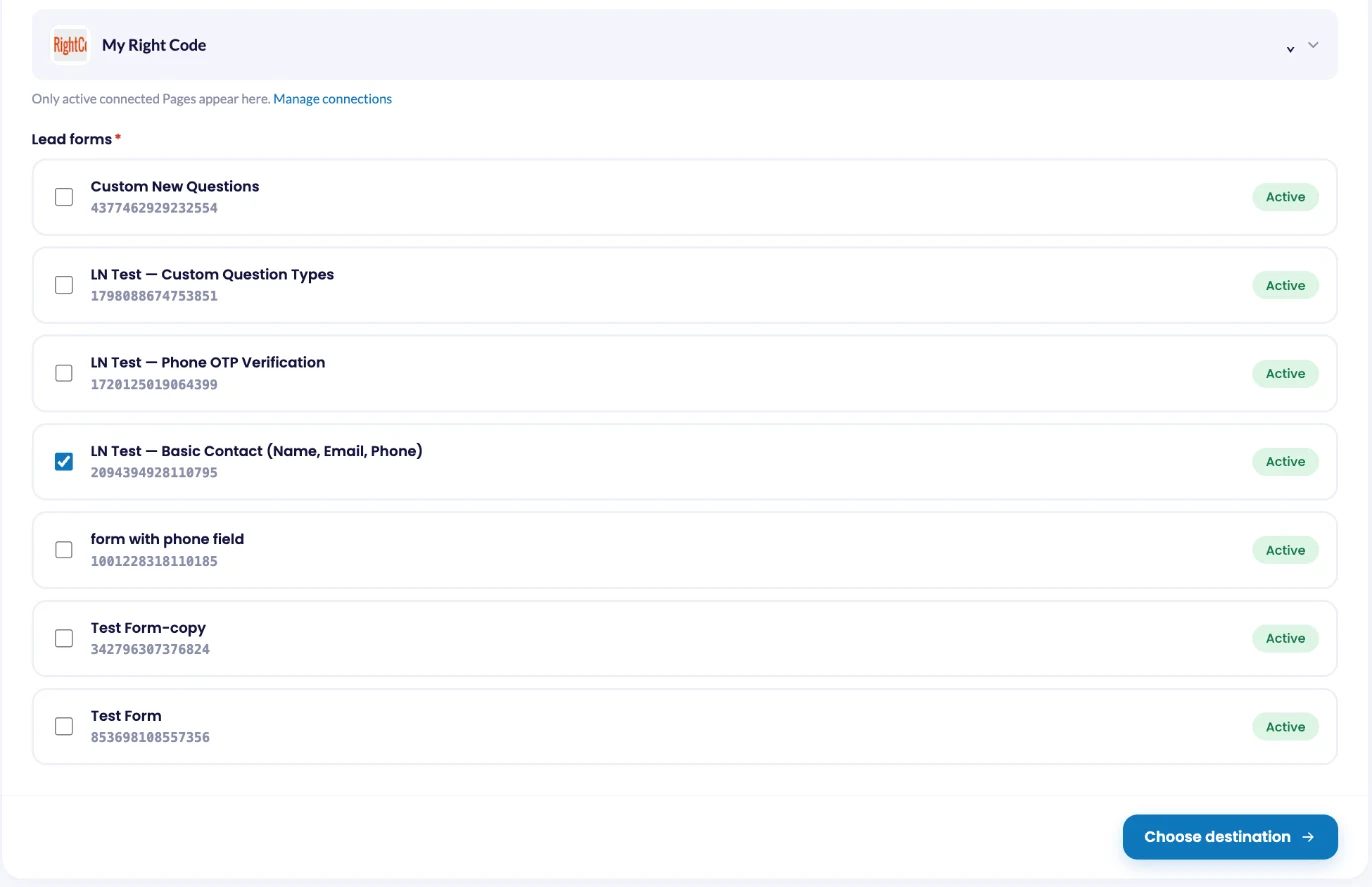
Click Create notifier. In the Source step, choose Facebook Lead Ads, then select your Facebook Page and the lead forms you want to connect. LeadsNotify loads the fields from those forms. Click Choose destination, select VerticalResponse and continue to connect it.
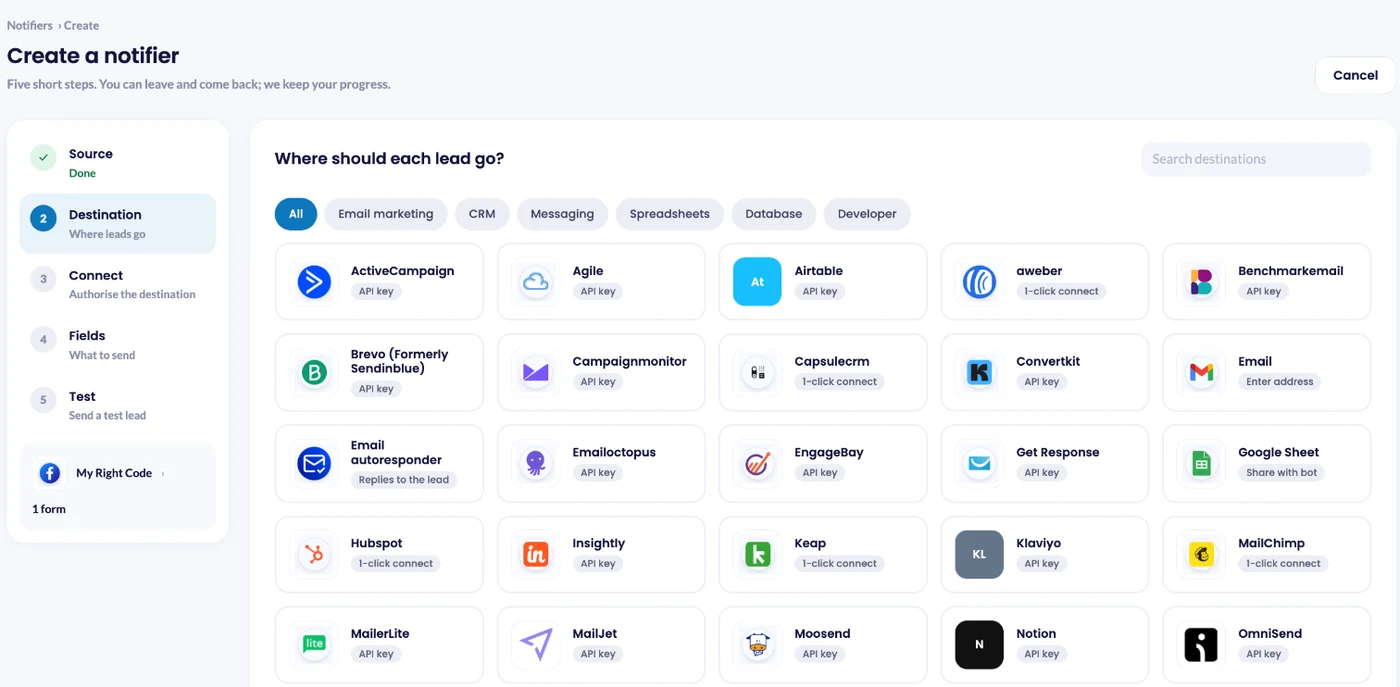
In the Connect step, click Connect VerticalResponse to connect your VerticalResponse account.
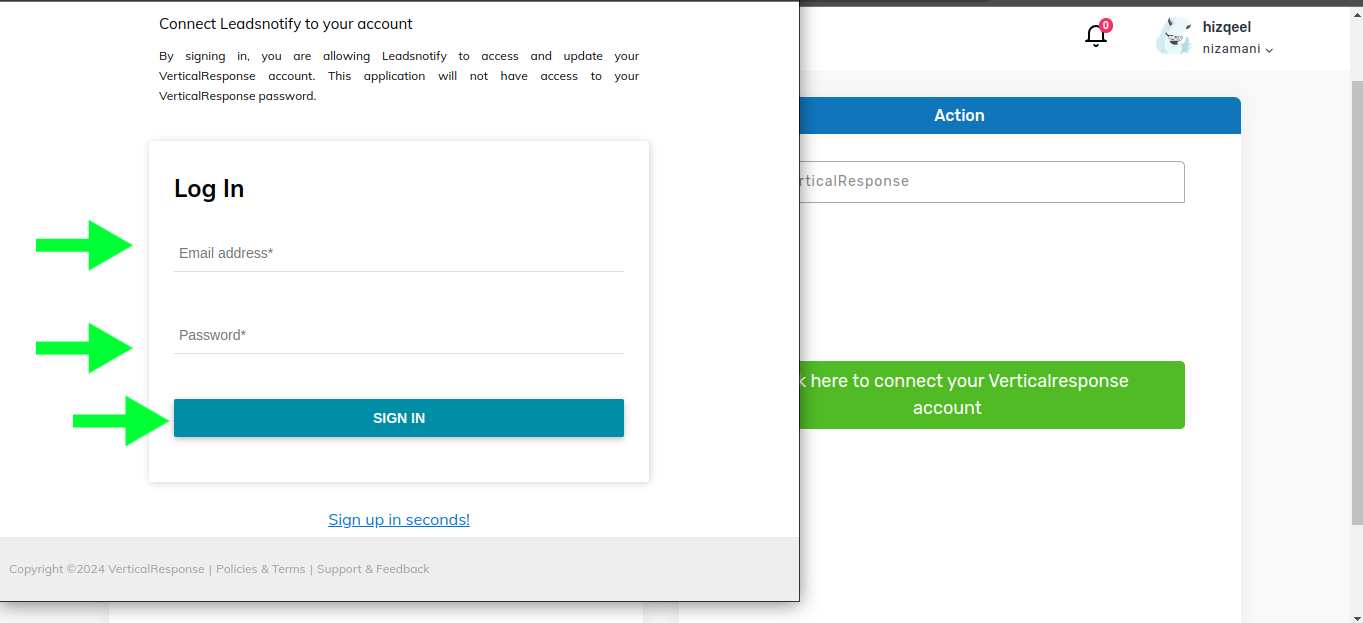
A sign-in window opens asking you to connect your VerticalResponse account. Enter your email address and password, then sign in as you normally would.
Once your VerticalResponse account is successfully connected, LeadsNotify shows a list selection option. Choose the VerticalResponse list where you want your Facebook leads to be added.
Click Choose fields, pick what to send and save the notifier.
Step 4: Test the Facebook Lead Ads Integration
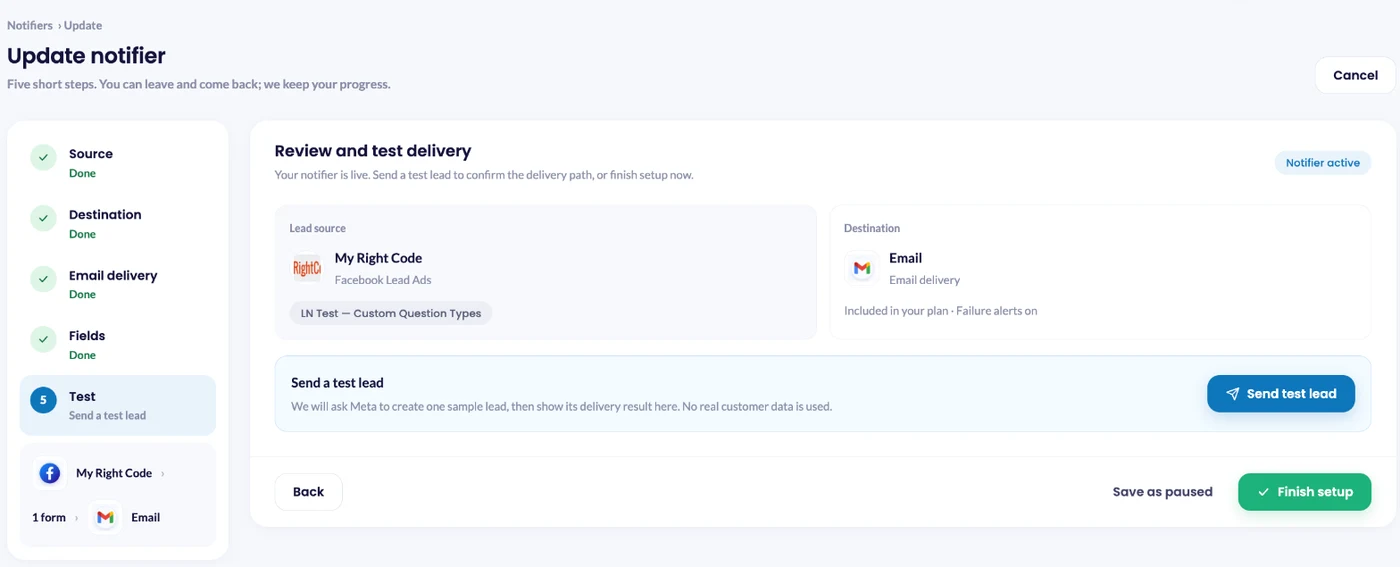
Saving the notifier opens Review and test delivery. Click Send test lead: LeadsNotify asks Meta to create one sample lead on your form and shows the delivery result right there. You can also check it on the Lead delivery page.
Frequently Asked Questions
How do I connect Facebook Lead Ads to VerticalResponse?
Can I automatically send Facebook leads to VerticalResponse?
Yes. Once the Facebook Lead Ads and VerticalResponse integration is configured in LeadsNotify, new leads from your selected Facebook instant forms can be sent automatically to the VerticalResponse list you choose.
Do I need a VerticalResponse account to connect Facebook leads?
Yes. You need an active VerticalResponse account so LeadsNotify can authorize the connection and send your Facebook leads to one of your VerticalResponse lists.
Where do my Facebook leads appear in VerticalResponse?
Your Facebook leads are sent to the VerticalResponse list you select while setting up the integration. Make sure you choose the correct list before submitting the notifier.
Can I test the Facebook and VerticalResponse integration?
Yes. After you submit the notifier, LeadsNotify provides an option to send a test lead. A successful response confirms that the integration is working.
What should I do if my Facebook leads are not reaching VerticalResponse?
First, check that your Facebook account and VerticalResponse account are connected correctly and that the correct Facebook form and VerticalResponse list are selected. You can also run the test lead again. If you continue to experience problems, contact LeadsNotify support at support@leadsnotify.com.
Connect Facebook Leads to VerticalResponse Automatically
Connecting Facebook Lead Ads with VerticalResponse can help you move new leads into your email marketing workflow without manually transferring contact information. With LeadsNotify, you can connect your Facebook forms, authorize VerticalResponse, select a list, and test the integration in just a few steps.
Feel free to contact us at support@leadsnotify.com if you face any issues with your integration.
Set up a free notification in a few minutes.

Hizqeel Nizamani
Hizqeel Nizamani is a software engineer and backend developer working on CRM integrations, automation, APIs, and lead management systems. At LeadsNotify, he helps build and improve technology that enables businesses to capture, manage, and respond to leads more effectively.
Connect on LinkedIn ↗